DVN Links features: short links, QR codes and click stats
Link Shortening
Create professional short links in seconds
A link in seconds
Paste a long address, pick a domain and, if you like, your own alias. The QR code for the link is ready straight away.
Custom aliases
A link with your own word of letters and digits, e.g. qrln.pl/spring2026 — 6 characters minimum, 5 on Pro, 3 on Business.
Choice of domain
qrln.pl on every plan, dvnlinks.pl from Starter, the shortest dvn.dev from Pro.
Link expiration
From the Starter plan, set a date after which the link stops resolving. On the free plan a link expires after 30 days.
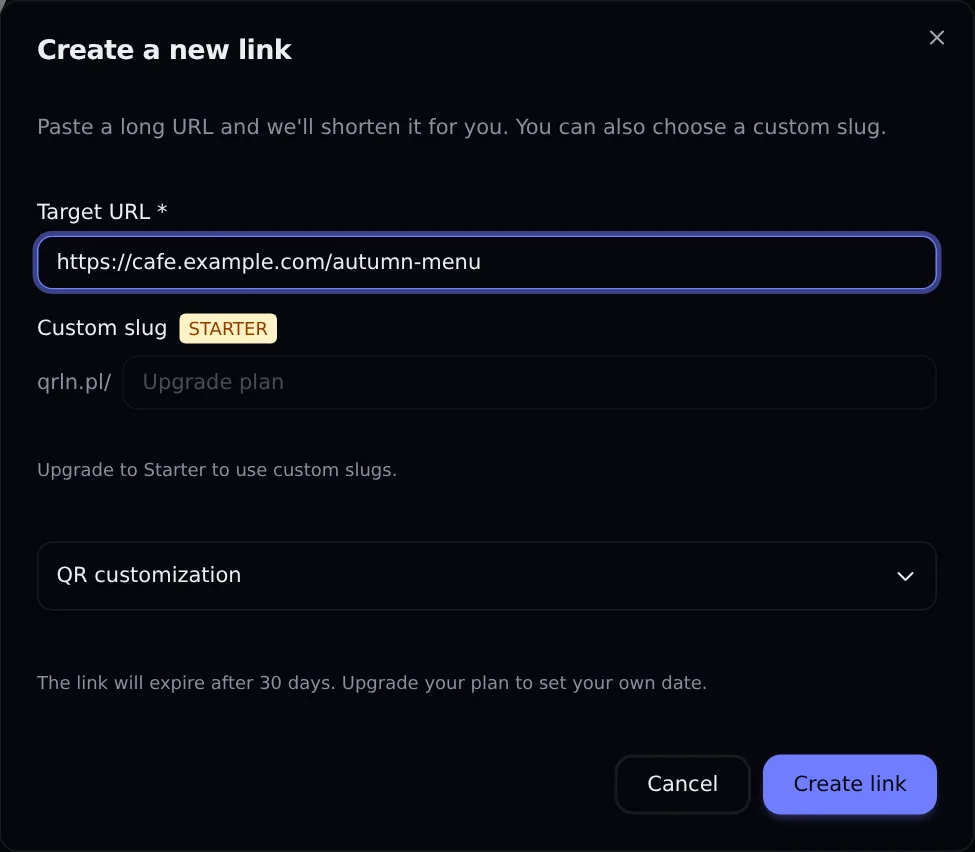
The "Create a new link" form on the Free plan
Screenshot: DVN Links dashboard, Free plan, 13 October 2026
Figure description
Screenshot of the Create a new link window in the DVN Links dashboard on the Free plan. The Target URL field contains https://cafe.example.com/autumn-menu. The Custom slug field has a STARTER badge, with the domain qrln.pl/ in front of it; the field is locked and reads Upgrade plan, with a note Upgrade to Starter to use custom slugs. A collapsed QR customization section. A note: The link will expire after 30 days. Upgrade your plan to set your own date. Buttons Cancel and Create link.
Dynamic QR code generator
A QR code for every link, customised according to your plan
Change the destination after printing
The code goes through the short link, so you change the destination without a new code. On the free plan a link works for 30 days.
Colours and logo
Colours and a code without the DVN logo from the Starter plan, your own logo from Business.
Export for print and web
Download the code as PNG in several sizes, or as vector SVG.
Scans in your statistics
Every scan is a click on the short link — you see it in the same statistics.
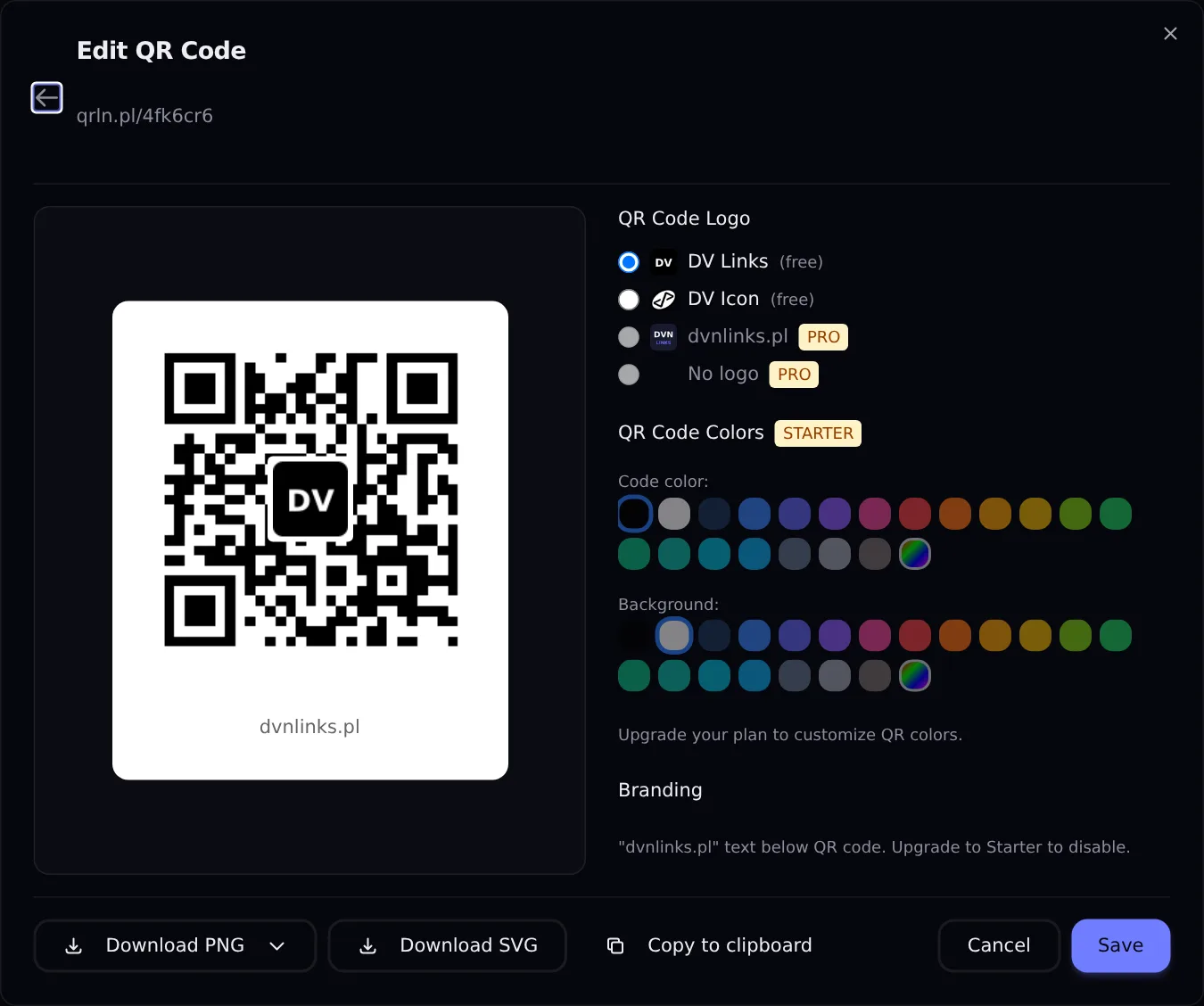
The "Edit QR Code" window on the Free plan
Screenshot: DVN Links dashboard, Free plan, 13 October 2026
Figure description
Screenshot of the Edit QR Code window for the link qrln.pl/4fk6cr6 in the DVN Links dashboard on the Free plan. On the left, a preview of a black QR code on a white background with a DV logo in the middle and the caption dvnlinks.pl under the code. On the right, the QR Code Logo section: DV Links (free, selected), DV Icon (free), dvnlinks.pl with a PRO badge and No logo with a PRO badge. The QR Code Colors section with a STARTER badge: greyed-out palettes for Code color and Background and a note Upgrade your plan to customize QR colors. The Branding section: the text dvnlinks.pl below the QR code, upgrade to Starter to disable. At the bottom, the buttons Download PNG with a list of sizes, Download SVG, Copy to clipboard, Cancel and Save.
Click statistics
Data on every click, QR code scans included. Statistics window: 7 days on the free plan, 30 on Starter, 90 on Pro, 365 on Business.
Countries
See which countries your clicks come from.
Devices
Breakdown by desktop, mobile, tablet. Systems and browsers.
Traffic sources
Referring sites and UTM parameters.
Time analysis
A click chart, day by day.
Per-link statistics
A breakdown by individual link, with your top performers listed.
No tracking of people
We count clicks, not people: the IP address is stored only as a hash, with no name or e-mail.
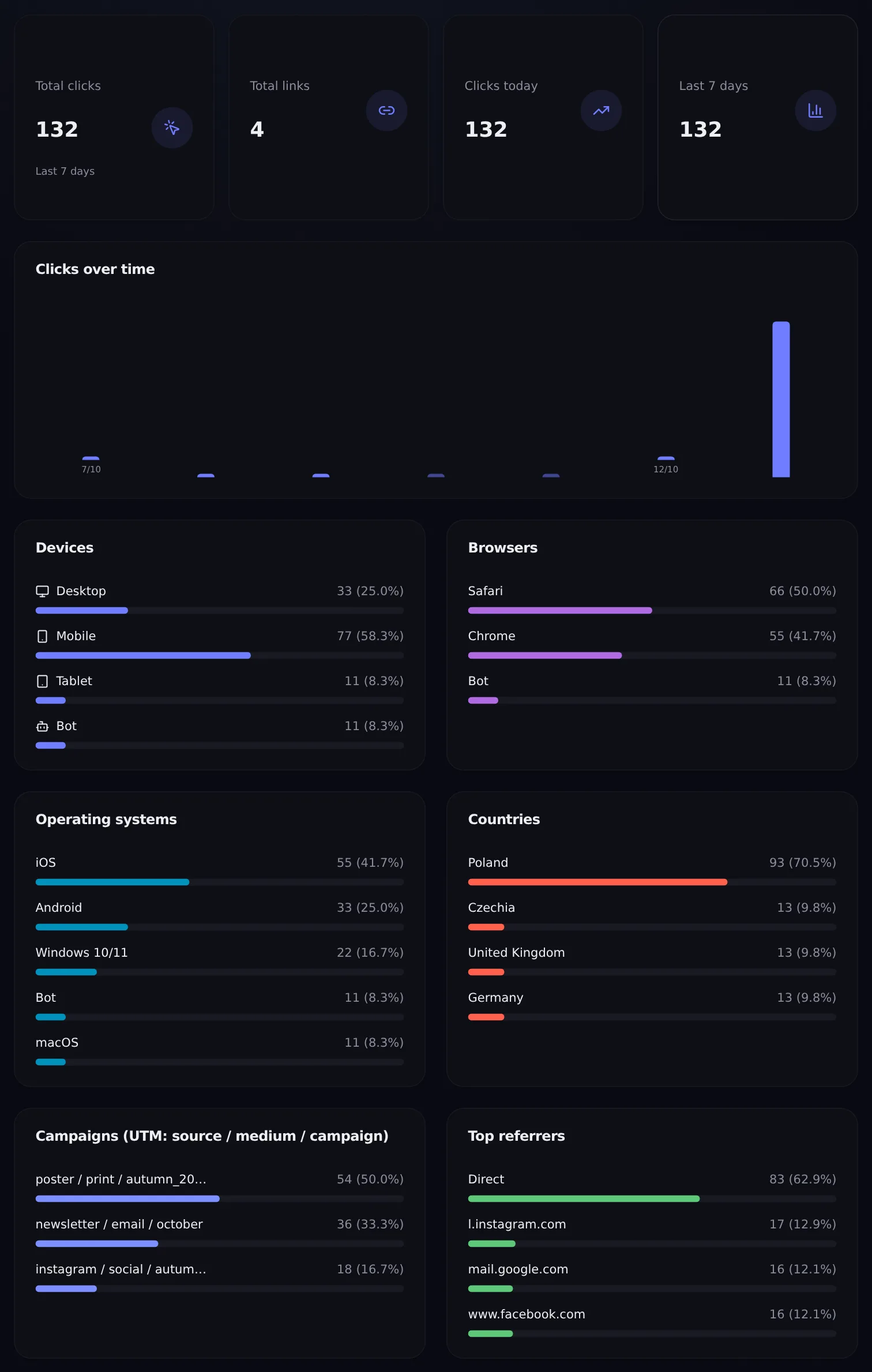
The Analytics view in the DVN Links dashboard
from the tiles to "Top referrers"; a test account, clicks generated by us for the screenshot
Screenshot: DVN Links dashboard, Free plan, 13 October 2026 — test account, sample clicks generated by us for the screenshot
Figure description
Part of the Analytics tab in the DVN Links dashboard, from the tiles to the Top referrers section, on a test account with clicks generated for the screenshot. Tiles: Total clicks 132 with the note Last 7 days, Total links 4, Clicks today 132, Last 7 days 132. A Clicks over time chart covering seven days with axis labels 7/10 and 12/10: one tall bar on the last day, no clicks on the other days. Devices: Desktop 33, Mobile 77, Tablet 11, Bot 11. Browsers: Safari 66, Chrome 55, Bot 11. Operating systems: iOS 55, Android 33, Windows 10/11 22, Bot 11, macOS 11. Countries: Poland 93, Czechia 13, United Kingdom 13, Germany 13. Campaigns (UTM: source / medium / campaign): poster / print / autumn_2026 54, newsletter / email / october 36, instagram / social / autumn_2026 18, the first and third campaign names truncated in the view. Top referrers: Direct 83, l.instagram.com 17, mail.google.com 16, www.facebook.com 16.
REST API
From the Starter plan: 100 requests per hour on Starter, 10,000 on Pro, 50,000 on Business.
Key in settings
Create a dvn_live_… key in your account settings and send it in a header.
Links from code
POST /api/v1/links creates a link; listing, editing and deleting work as in the dashboard.
Stats and QR code
GET /api/v1/links/:id/stats returns clicks, and /qr the link’s QR code.
More in the guides
Step by step: your first link, UTM campaigns and a QR code that scans.